Best RDR2 PC graphics settings: the optimized guide
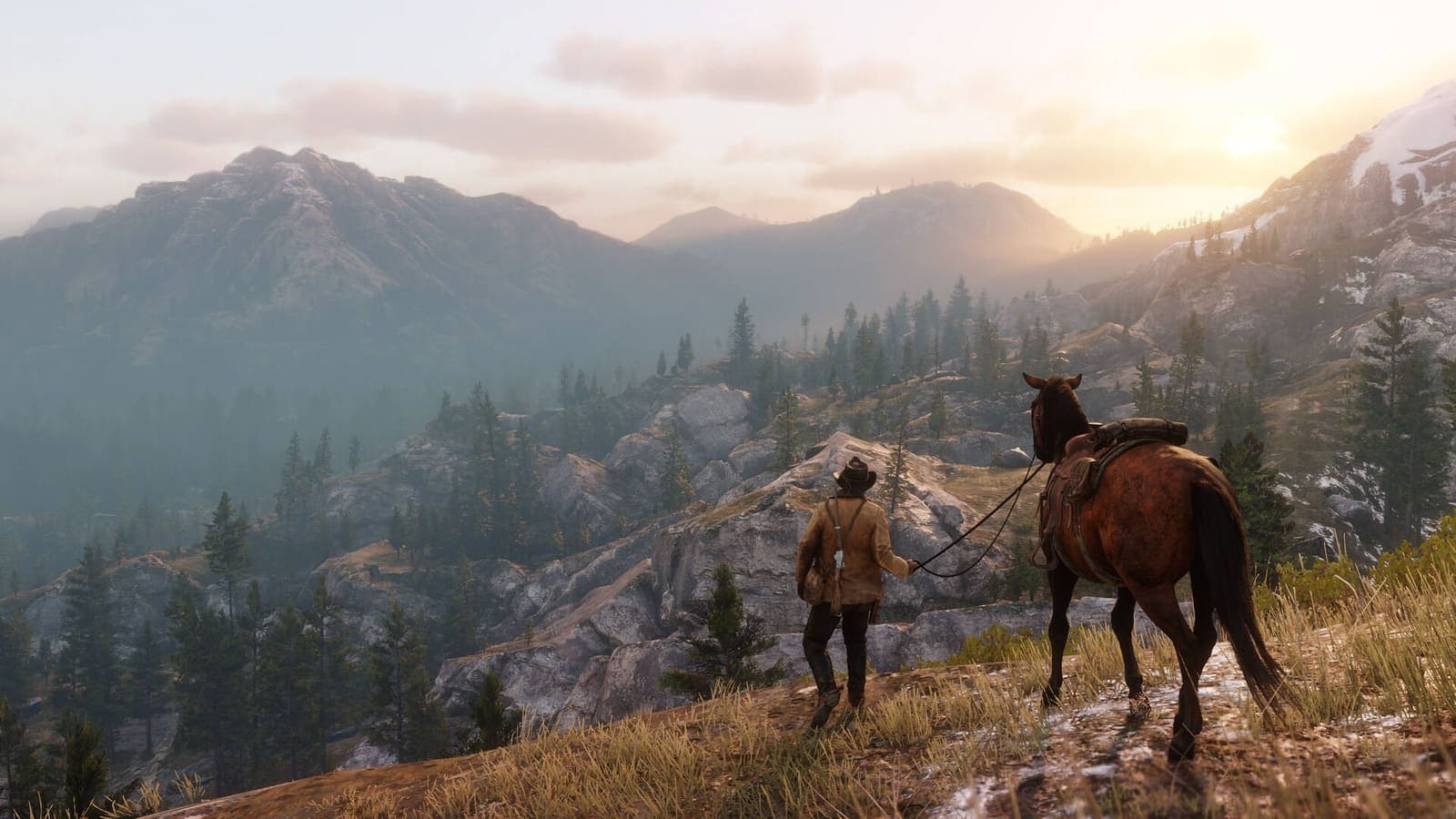
Image: official screenshot © Rockstar Games
Quick answer
For a Red Dead Redemption 2 that looks great and runs smoothly on PC, keep Texture Quality on Ultra and filtering at 16x, then lower what costs a lot for little difference: MSAA off, Reflection Quality and Volumetrics Quality on Medium, Water Physics Quality at the halfway mark. Stay on Vulkan unless you get stutter, and turn on DLSS or FSR 2 in Quality mode if you are short on frames. The last Ultra notches were built for future hardware: you will barely notice their absence.
Nearly seven years after it reached PC, Red Dead Redemption 2 is still one of the most beautiful open worlds you can put on a screen: mist lifting off the Lemoyne swamps, low evening light across the Heartlands, mud that keeps the print of every hoof. It is also a demanding game, with around forty graphics options, some of which cost a great deal for a gain you can barely see. This guide gives you optimized settings, option by option, with what each one costs and what it really changes on screen.
Our method: a value is only recommended when at least two serious analyses agree (Hardware Unboxed, PC Gamer, OC3D, Shacknews, TechPowerUp, PC Optimized Settings, Rockstar Support). When they disagree, we say so. Setting names are the ones used in the English menu.
The official system requirements
Here is what Rockstar asks for (support page last updated April 30, 2024, identical to the Steam listing):
| Minimum | Recommended | |
|---|---|---|
| OS | Windows 10 64-bit | Windows 10 64-bit |
| Processor | Intel Core i5-2500K / AMD FX-6300 | Intel Core i7-4770K / AMD Ryzen 5 1500X |
| Memory | 8 GB | 12 GB |
| Graphics card | GeForce GTX 770 2 GB / Radeon R9 280 3 GB | GeForce GTX 1060 6 GB / Radeon RX 480 4 GB |
| Storage | 150 GB | 150 GB |
Rockstar does not state a target resolution or frame rate. PC Gamer and OC3D both estimate that the minimum setup corresponds to 30 frames per second at low settings. Below the recommended setup, aim for stability before beauty, with our guide to RDR2 on a low-end PC, laptop and Steam Deck.
Before you tweak: three habits
- Be wary of the Quality Preset Level slider. It is not a fixed preset: TechSpot, OC3D and PC Gamer all found that the same notch applies different values depending on the graphics card. Use it as a starting point, then tune by hand.
- Unlock Advanced Settings. The advanced part of the menu is locked by default. Switch the line to Unlocked: several of the most expensive settings live there.
- Use the built-in benchmark (Settings, Graphics, Run Benchmark Test), as Rockstar recommends, and change one group of settings at a time.
Vulkan or DirectX 12?
The game offers two graphics APIs, Vulkan (the default) and DirectX 12. Stay on Vulkan: TechPowerUp recommends sticking to it on both AMD and Nvidia, OC3D found DirectX 12 slower and less stable, and PC Gamer notes that most post-launch improvements focused on Vulkan.
It is not an absolute rule: at launch, TechSpot got smoother results with DirectX 12, and PC Gamer advises trying the other API if the first one misbehaves. With unexplained stutter, that is the first test to run.
DLSS and FSR 2: the upscalers available
Two upscaling technologies are built into the menu:
- Nvidia DLSS, added on July 13, 2021, for GeForce RTX cards only. Nvidia claims up to 45% more performance at 4K.
- AMD FSR 2, added by Title Update 1.31 in September 2022, then moved to version 2.2 with Title Update 1.32 in March 2024. It works under both Vulkan and DirectX 12, and on every brand of card.
In both cases the game renders at a lower resolution and then reconstructs the image. The upscaler then replaces the game's own anti-aliasing: TAA and MSAA are disabled. According to TechPowerUp's comparison, DLSS and FSR 2 deliver the same performance gain, and FSR 2 in Quality mode gives a noticeably finer image than native TAA, especially at 1080p and 1440p. Two limits from the same test: a sharpening filter stays applied even with the slider at zero, and FSR 2 makes some fine details, such as power lines, shimmer.
Our advice: start with Quality mode, and only go lower if you have to.
The optimized settings table
Cost is the frame rate you lose when raising the setting. The values mostly follow Hardware Unboxed's optimized settings, cross-checked against the other sources.
| Setting | Recommended value | Cost | Visual impact |
|---|---|---|---|
| Texture Quality | Ultra | Low, depends on video memory | Very high |
| Anisotropic Filtering | 16x | Low | Medium |
| Lighting Quality | Medium | Medium | Medium |
| Global Illumination Quality | High | Low | Low to medium |
| Shadow Quality | High | Medium | High |
| Far Shadow Quality | High | Low | Medium |
| Screen Space Ambient Occlusion | High or Ultra | Low to medium | High |
| Reflection Quality | Medium | High | Low |
| Mirror Quality | Ultra | Negligible | Low |
| Water Quality | Medium, then fine-tune in advanced | High | Medium |
| Volumetrics Quality (fog, clouds, light shafts) | Medium, then fine-tune in advanced | High | Medium to high |
| Particle Quality | Ultra | Low | Low |
| Tessellation Quality (mud and snow relief) | High or Ultra | Low | Medium |
| TAA | Medium or High | Negligible | High |
| FXAA | Off | Negligible | Low |
| MSAA | Off | Very high | Low |
Do not feel bad about playing on Medium. According to Digital Foundry's analysis, the Xbox One X version runs a mix of settings equivalent to PC's Low, Medium and High notches, some of them even below the lowest option offered on PC.
A few explanations:
- Textures: this is the setting to protect. PC Gamer describes a huge gap between Low, Medium and High, and a more modest one between High and Ultra. PC Gamer and OC3D recommend Ultra from 4 GB of video memory, Shacknews rather from 6 GB.
- Reflections and volumetrics: for PC Gamer, these are the two major settings for winning frames back. Rockstar also puts them at the top of its own list, alongside MSAA and water. OC3D makes Volumetrics Quality on Medium its number one tip.
- Lighting: measurements disagree. Shacknews reports a large cost at night, other tests a minimal effect. Medium is Hardware Unboxed's pick, High remains reasonable if you have headroom.
- Ambient occlusion: PC Gamer advises not going below Medium. It is what gives depth to interiors and shop shelves.
- MSAA: every test advises against it. TAA costs almost nothing and does the job.
The advanced settings
| Setting | Recommended value | Cost | Visual impact |
|---|---|---|---|
| Graphics API | Vulkan | Varies | None |
| Near Volumetric Resolution | Low or Medium | High | Medium |
| Far Volumetric Resolution | Medium | Low | Low |
| Volumetric Lighting Quality | High | Medium | Medium to high |
| Unlocked Volumetric Raymarch Resolution | Depends on the machine (see below) | Varies | Low to medium |
| Particle Lighting Quality | Medium | Low | Low |
| Soft Shadows | High | Low to medium | Medium |
| Grass Shadows | Medium | Medium | Medium |
| Long Shadows | On | Low to medium | High at sunrise and sunset |
| Full Resolution SSAO | Off | Medium | Very low |
| Water Refraction Quality | Medium | Low to medium | Low |
| Water Reflection Quality | Medium or High | Medium | Low to medium |
| Water Physics Quality | Halfway along the slider | Very high beyond that | Low beyond that |
| Resolution Scale | Off | Very high above 1 | High |
| TAA Sharpening | To taste | None | Depends on the screen |
| Motion Blur | To taste | Negligible | Preference |
| Reflection MSAA | Off | Medium | Very low |
| Geometry Level of Detail | 3 or 4 out of 5 | Low to medium | Medium |
| Grass Level of Detail | 4 to 6 out of 10 | Medium | Medium to high |
| Tree Quality | High | Low to medium | Medium |
| Parallax Occlusion Mapping Quality | High or Ultra | Low | Medium |
| Decal Quality | Ultra | Negligible | Low |
| Fur Quality | Medium or High | Low | Low |
| Tree Tessellation | Off | Medium | Very low |
Key takeaways:
- Water Physics Quality is described by Shacknews as the heaviest setting in the game when pushed all the way. Hardware Unboxed and Shacknews both stop at the middle of the slider.
- Unlocked Volumetric Raymarch Resolution splits the testers: Hardware Unboxed and Shacknews leave it on, OC3D and ASUS turn it off. Its cost climbs with resolution. Turn it on at 1080p if you have headroom, off at 4K or on a modest card.
- Full Resolution SSAO, Reflection MSAA and Tree Tessellation: three options to turn off without regret. Reflection MSAA at 4x costs around 8% according to PC Gamer, a figure in line with PC Optimized Settings, for an effect you will not notice while playing.
- Parallax Occlusion Mapping: Ultra costs 4 to 5% according to PC Gamer and PC Optimized Settings. High is a good compromise.
- Long Shadows: leave it on if you can. Those stretched shadows are what make the game's sunrises, and Shacknews counts it among the real upgrades of the PC version.
Three profiles by machine class
No invented numbers here: the ones below come from published tests, often from 2019, and serve as reference points.
Entry-level card (around the recommended setup: GTX 1060 6 GB, RX 480 or RX 580). Play at 1080p. Start from the table, then set Reflection Quality, Volumetrics Quality and Near Volumetric Resolution to Low, Water Physics Quality to its lowest notch, Grass Shadows to Low, Grass Level of Detail to around 2 to 4 out of 10, and turn off Unlocked Volumetric Raymarch Resolution. Keep textures as high as video memory allows, and turn on FSR 2 in Quality. In PC Gamer's December 2019 testing, the GTX 1060 6 GB and the RX 570 averaged 60 frames per second at 1080p with low to medium settings, but with dips well below that.
Mid-range card (RTX 2060 or RX 5700 class and above, 6 to 8 GB). Apply both tables as they are at 1080p, or at 1440p with DLSS or FSR 2 in Quality. PC Gamer and TechSpot reached the same conclusion in 2019: you needed an RTX 2060 or an RX Vega 56 for a solid 60 frames per second at 1080p with High settings. With DLSS, Nvidia claims over 60 frames per second at 1440p max settings from the RTX 3060 Ti up.
High-end card. Aim for native 1440p, or 4K with an upscaler. You can raise Far Shadow Quality, Screen Space Ambient Occlusion, Tree Quality and Global Illumination Quality to Ultra, Volumetrics Quality to High, and push both level of detail sliders. Keep MSAA off and Water Physics Quality at the halfway mark: OC3D, TechPowerUp and PC Gamer agree that the very last notches were designed for future hardware. Nvidia claims over 60 frames per second at 4K max settings with DLSS from the RTX 3070 up.
Common problems
Stutter. The big launch-era stalls on 4-core and 6-core processors without multithreading were fixed by patches, PC Gamer reports. If some remain, switch API, then turn off Triple Buffering: PCGamingWiki links that option to stutter and to a video memory leak under Vulkan on some setups. For an ERR_GFX_STATE crash, Rockstar points to the -ignorepipelinecache launch argument.
Video memory limit. The game refuses to apply settings that exceed your card's memory, and there is no option to ignore that limit, PC Gamer notes. With 3 GB, running everything on Ultra is impossible. With 2 GB, you often have to settle for 1080p on Low. TechPowerUp also saw 3 GB and 4 GB cards crash above 1080p at the highest settings. If you are limited, drop textures by a single notch.
Blurry image with TAA. This is the most common complaint: TechPowerUp rates the game's TAA as very blurry everywhere except at 4K. Two fixes: raise TAA Sharpening, or replace TAA with DLSS or FSR 2 in Quality, which is sharper at the same resolution.
HDR. Pick Game mode, then set Peak Brightness and Paper White. Cinematic mode is the original launch rendering, which looks flatter. Title Update 1.32 also added HDR10+ Gaming support. According to PCGamingWiki's testing, HDR only works in fullscreen under Vulkan, and has to be enabled in Windows before launching the game under DirectX 12.
Go further
- Find all our Red Dead Redemption 2 guides in one place
- RDR2 on a low-end PC, laptop and Steam Deck if your machine sits below the recommended setup
- The best RDR2 controller settings for aiming and camera
- Beginner tips once the game is running right
- Red Dead Online beginner guide
- The incredible details of RDR2, so you know where to look
FAQ
What PC do you need to run Red Dead Redemption 2?
Minimum: Windows 10 64-bit, Core i5-2500K or FX-6300, 8 GB of RAM, GTX 770 2 GB or R9 280 3 GB. Recommended: Core i7-4770K or Ryzen 5 1500X, 12 GB of RAM, GTX 1060 6 GB or RX 480 4 GB. Both need 150 GB of storage.
Vulkan or DirectX 12 in RDR2?
Vulkan, the default API, chosen by TechPowerUp, OC3D and PC Gamer. If you get stutter or crashes, try DirectX 12: depending on the machine, either one can behave better.
Which settings should you lower first to gain FPS in RDR2?
Turn off MSAA and Reflection MSAA, set Reflection Quality and Volumetrics Quality to Medium, bring Water Physics Quality down to the halfway mark and disable Full Resolution SSAO and Tree Tessellation. Keep textures as high as your video memory allows.
Read next
RDR2 on a low-end PC, laptop and Steam Deck: best settings
Running Red Dead Redemption 2 on a modest PC, a laptop or a Steam Deck: minimum specs, which settings to lower first, FSR 2 and the 30 FPS cap.
6 min · Oct 10
Best RDR2 controller settings: aiming, camera and HDR
The best Red Dead Redemption 2 controller settings: dead zone, acceleration, lock-on, camera and HDR, plus what each console and PC can really deliver.
7 min · Oct 10
Red Dead Online Bounty Hunter role: the best unlocks by rank
Every Bounty Hunter unlock in Red Dead Online, rank by rank: Reinforced Lasso, Bolas, Bounty Wagon, skills, satchels and the Prestigious License.
6 min · Oct 10