Fix Warzone FPS drops and stuttering
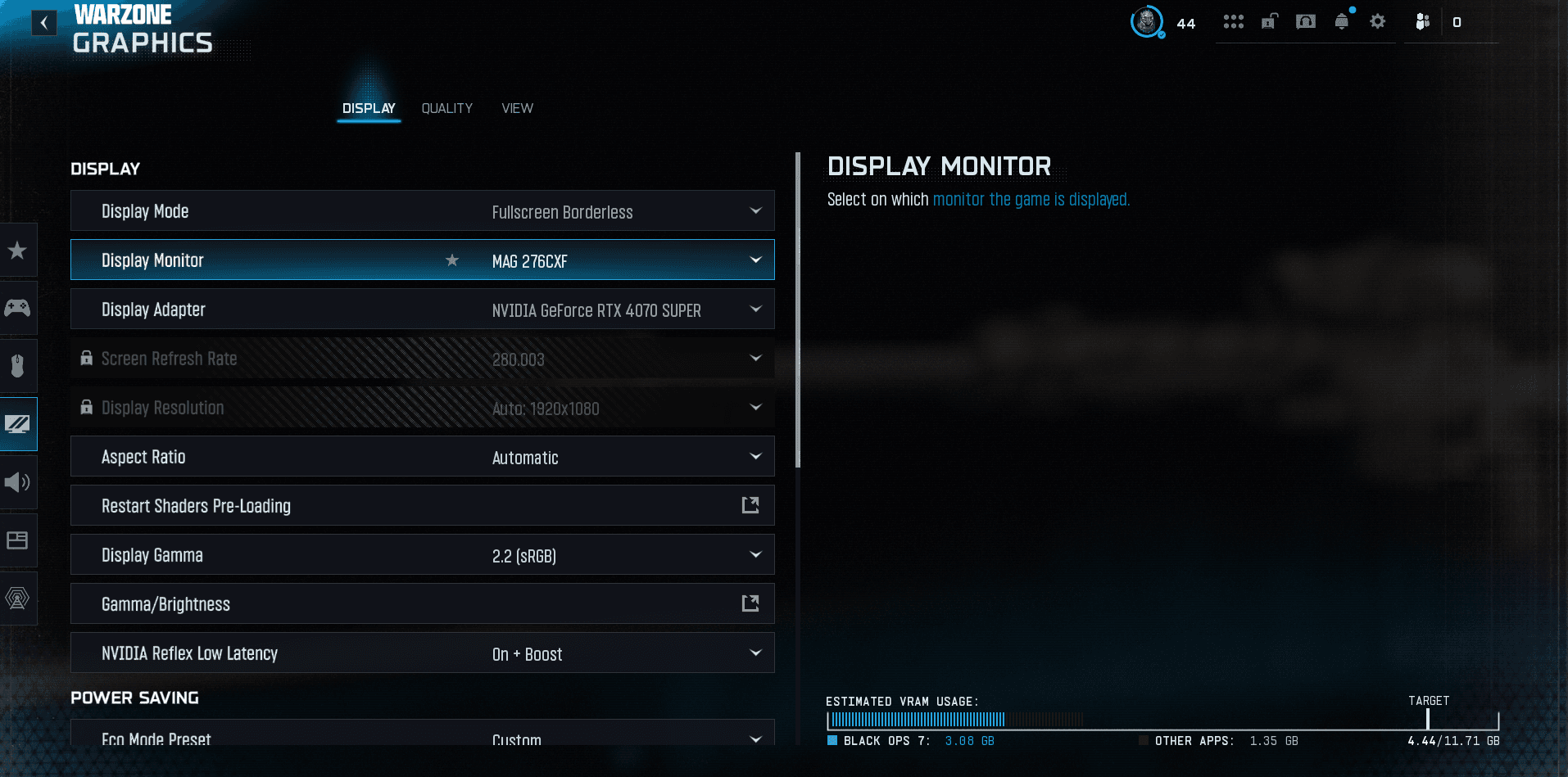
Quick answer
For Warzone FPS drops and stuttering, the routine that fixes 90% of cases: update your GPU drivers, cap your FPS (stable frametime), turn down the heaviest settings (shadows, particles, volumetrics), disable overlays, manage VRAM and verify game files. Do it in this order.
Warzone stuttering or dropping FPS is almost always fixable. Here's the effective routine, in order: start at the top, test, move to the next. (For detailed graphics settings, see our FPS settings.)
1. Update your GPU drivers
- Install the latest NVIDIA or AMD drivers (often optimized for Warzone).
- Do a clean install (option in the installer) if problems persist after an update.
2. Cap your FPS (the #1 anti-stutter fix)
- A GPU pinned at 100% produces an unstable frametime = stutters. Cap your FPS just below your stable max (e.g. cap at 138 on a 144 Hz monitor).
- Stuttering comes more often from an irregular frametime than from a lack of raw FPS.
3. Turn down the heaviest settings
- Shadows, particle quality, volumetrics / clouds: the most demanding, lower these first.
- Textures: lower them if your VRAM is saturated (see below).
- The full breakdown is in our FPS settings.
4. Disable overlays and background apps
- Turn off overlays: Discord, GeForce Experience, Xbox Game Bar, browser overlay.
- Close background apps and browser tabs (frees RAM).
5. Manage VRAM and storage
- Adjust the VRAM target / on-demand texture streaming: too high saturates the card and stutters. Lower it if your VRAM is limited.
- Install Warzone on an SSD: texture-streaming stutter often disappears.
6. Windows and game files
- Game Mode on, High performance power plan, test Hardware-accelerated GPU scheduling (HAGS) on/off.
- Enable your RAM's XMP/EXPO profile (dual channel).
- Scan and repair / verify game files: corrupt files cause micro-stutters.
- After an update, let the shaders recompile (early-match stutter then goes away).
The Warzone recap
- All our Warzone guides — settings, loadouts and basics in one place.
- Fix packet burst and lag — if the issue is your network.
- The best FPS settings and FOV (which costs FPS).
FAQ
Why does Warzone stutter despite good FPS?
It's an unstable frametime: GPU at 100%, saturated VRAM or shaders compiling. Cap your FPS and manage VRAM.
How do I gain FPS?
Updated drivers, heavy settings lowered, overlays off, game on an SSD, FPS capped just below your stable max.
Read next
Fix Warzone crashing (won't launch)
Warzone crashing or won't launch? The reliable fixes: repair files, GPU drivers, overlays, Visual C++, disk space and reinstalling.
1 min · Sep 02Best Warzone settings: FPS, smoothness and aim
The best Warzone settings for more FPS, smoother gameplay and cleaner aim: graphics, FOV, V-Sync, sensitivity and hardware. PC & console guide.
1 min · Jun 09
Best Warzone aim assist (type & settings)
The best Warzone aim assist: which type to choose, how it works and how to maximize it on controller for clean, consistent tracking.
1 min · Sep 02